
Live footage
Talking-head, tabletop, handheld demos, vlogs. Setups, camera positions, lighting recipes and grade notes.
Video reverse engineering
Talking-head, tabletop, AI clips, 3D, motion graphics, mixed edits — get a shot-by-shot report on how the picture, captions, cuts and audio were made, plus a plan to remake it.
Original live shoot ↔ AI remake with a new product
Coverage
Every shot is judged on its own, then put back on the original timeline — so mixed videos stay honest.
Talking-head, tabletop, handheld demos, vlogs. Setups, camera positions, lighting recipes and grade notes.
Evidence per shot, reverse-engineered prompts, and how to batch generations across models.
Which shots are portrait-driven, what face and audio you still need to supply.
Blender / C4D explainers or Remotion-ready kinetic type, UI demos and chart cards.
Marks real material you must capture yourself, separate from generated filler.
AI characters + coded UI + real capture, each shot classified, then re-timed.
Workflow
Built for AI agents. Drop a path into Claude Code or Codex and let the skill run the full pipeline.
Point your agent at github.com/JuneYaooo/rea-video. It installs the CLI, reads the workflow, and starts.
You get a one-line verdict, per-shot evidence, prompts, captions, audio BPM and a full HTML report.
The plan splits what to film, generate or code — ready for capsule-cinema or your own pipeline.
One-click remake
After breakdown, remake with the same camera moves, pacing and cuts — only the elements you choose change. Web remake is coming to reavideo.net; the open recipe already ships in capsule-cinema.
Examples
Sample breakdowns from the open-source project — mixed media, 3D explainers, and more.
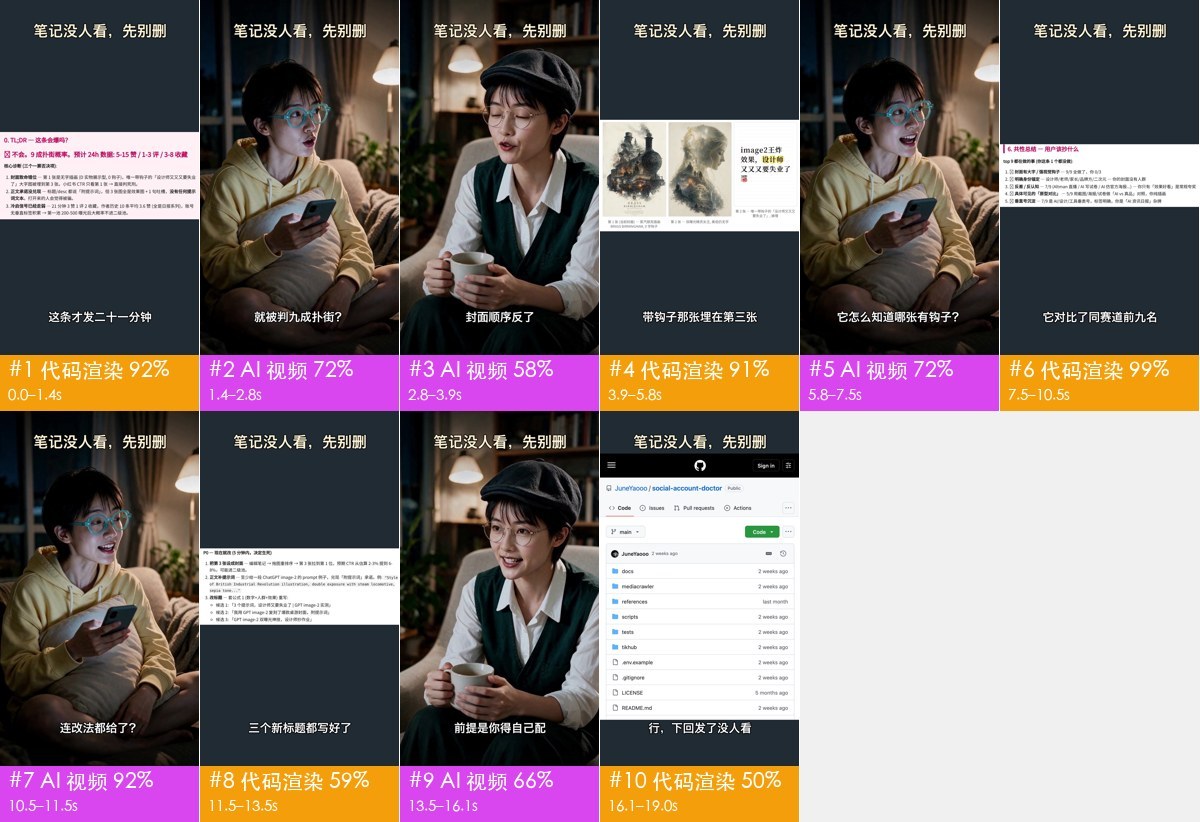
AI dialogue + code UI + 8 seconds of real screen capture. Five dialogue shots share one set, so one generation covers them.
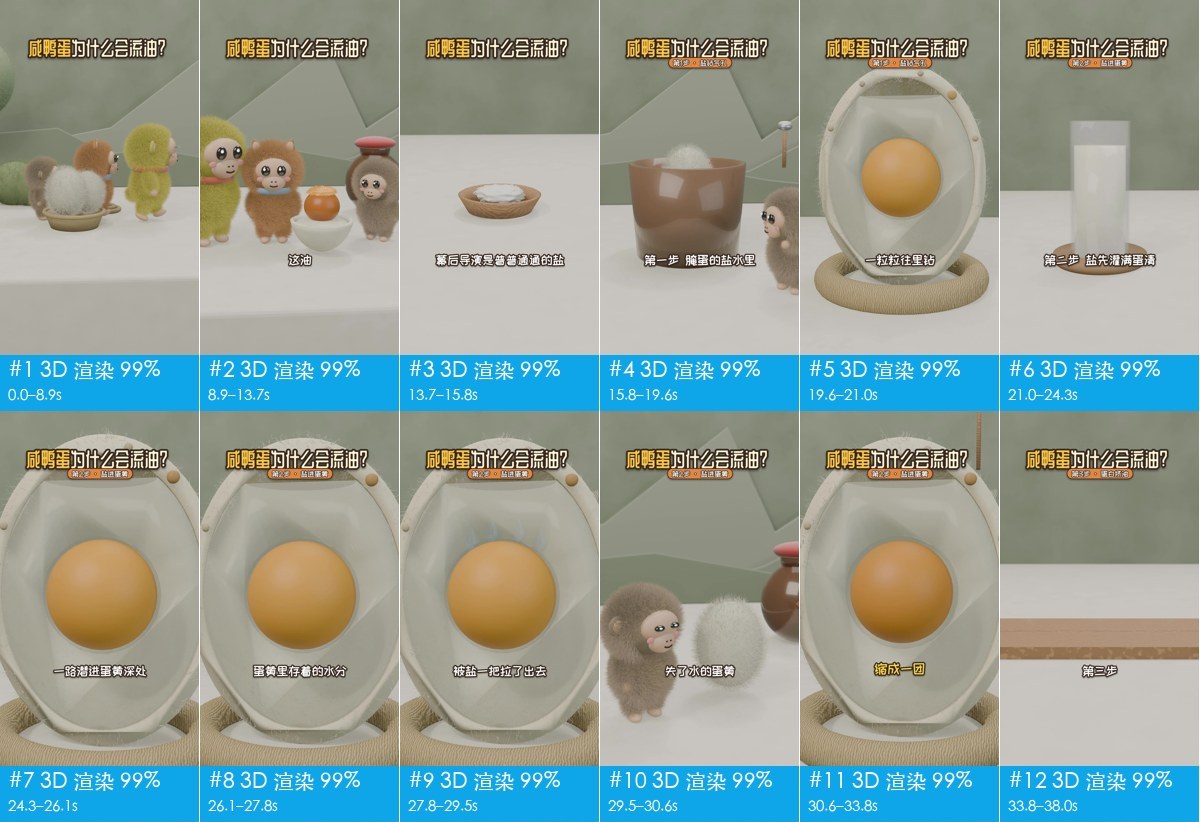
All 3D with AI narration. Doable as about ten video generations, or have an LLM write Blender / Three.js code.
FAQ
The CLI and skill are open source. The hosted remake experience on reavideo.net is in early access — email us if you want in.
No. Without one it still works; with Gemini or Doubao the live / AI / 3D calls get sharper and every shot gets a reverse-engineered prompt.
A remake that keeps camera, motion, pacing and transitions from the original, while swapping the subject, product or setting you choose.
Creators, growth teams and AI builders who want to learn from reference videos instead of guessing prompts and shot lists.
Transcripts give you words. ReaVideo gives you production: how each frame was made, what to film, generate or code, and a remake path.
Run the open-source skill now, or join the waitlist for hosted remake on reavideo.net.